
SSL certificates issued by the certification authorities are regularly provided in the PEM format.
However, depending on the server/platform on which the SSL certificate is supposed to be installed, you might need a certificate in a different format.
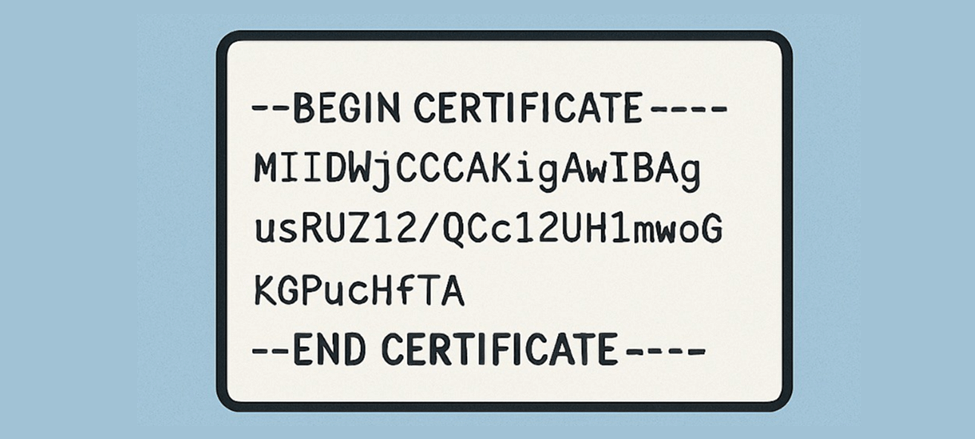
Below, you can find an overview of the certificate file formats:
4 Common Certificate File Types
PEM (Privacy-Enhanced Email)
PEM certificates usually use one of these extensions: .pem, .crt, .cer, or .key. They are Base64 encrypted and can be opened with any text redactor, where you will see the –BEGIN CERTIFICATE– and –END CERTIFICATE– strings.
Apache and other similar servers use this certificate format. You can include several PEM certificates and even a private key in one file, but most servers, such as Apache, expect the certificate and private key to be in separate files.
DER (Distinguished Encoding Rules)
Extensions: .der, .cer
DER is a binary format for certificates and private keys. Unlike PEM, DER-encoded files do not contain text statements such as —–BEGIN CERTIFICATE—–. DER files are commonly used in Windows and Java.
PKCS#7 (Public Key Cryptography Standards)
Certificates that use this format are Base64 encoded and have the extensions .p7b or .p7c.
Used for certificate chains without the Private key. PKCS#7 format files are usually provided for S/MIME (email) certificates. This format contains only the certificate and chain files but not the private key. Several platforms support this format, including Microsoft Windows and Java Tomcat.
PFX/PKCS#12 (Public Cryptography Standard with enhanced security)
Extensions .pfx, .p12
This format stores the certificate and private key
Typically, this format is used on Windows to export/import the certificate and private key into one file.
SSL Certificate File Type Conversion
What is the solution once you realize you need your certificate in a different format?
No worries since certificates can be converted from one format to another. Customers regularly refer to online tools or OpenSSL (Open Source SSL Library) for conversion.
Converting Certificate File Formats with Online Tools
You will find multiple tools that have made SSL conversion easy on the Internet. To complete the process, you must add the certificate files in the appropriate fields, making the conversion smooth and easy.
However, it is highly recommended not to use online tools when converting your certificate to or from a .pfx file as it’s not 100% secure to upload your private key to an online tool. The safest solution would be performing the conversion on your machine using OpenSSL.
Converting Certificate File Formats with OpenSSL
Below are the commands usually used in the OpenSSL for the certificate’s file conversion.
PEM to DER
DER to PEM
PEM to P7B
P7B to PEM
PEM to PFX
PFX to PEM
P7B to PFX
Performed in 2 steps:
- P7B to CER
openssl pkcs7 -print_certs -in certificate.p7b -out certificate.cer
- CER with Private Key to PFX
openssl pkcs12 -export -in certificatename.cer -inkey privateKey.key -out certificatename.pfx -certfile cacert.cer
To summarize the above
Don’t worry if your initial certificate file format doesn’t meet your needs. You can get the needed one in just a few steps, so your certificate’s installation runs smoothly, and your website is secured.