
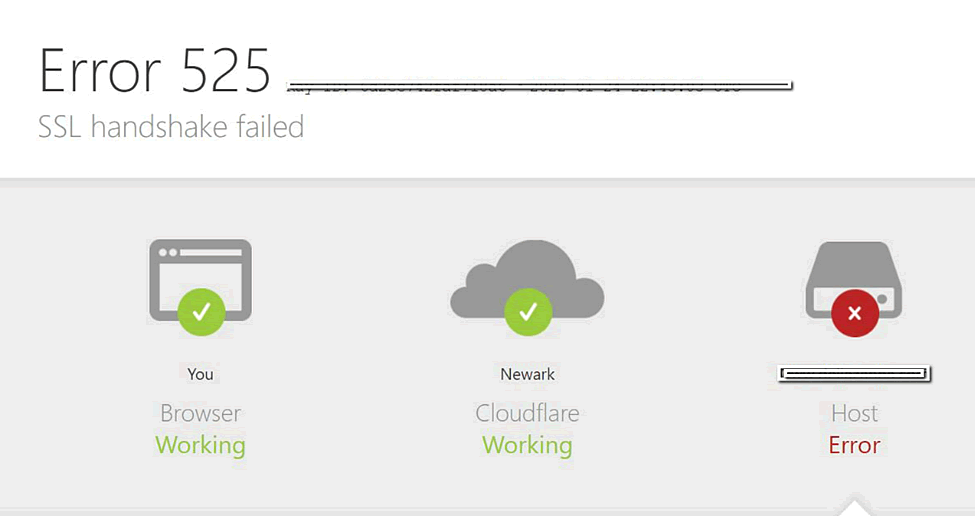
The Cloudflare 525 error signifies a problem with the SSL handshake between Cloudflare and the origin server.
Essentially, it indicates that Cloudflare was unable to establish a secure connection to the origin server as it does not respond correctly to SSL requests.
Error 525 occurs when these two conditions are met:
- The handshake fails between Cloudflare and the web server
- The Strict or Automatic SSL encryption mode is set in Cloudflare SSL/TLS settings
Please review a related article How to Fix a Cloudflare 526 Error
The Most Common Reasons Why a 525 Error May Appear
- SSL Certificate Issues: One of the most common reasons for a 525 error is an invalid or expired SSL certificate on the server.
- Server Configuration Problems: Misconfigurations on the server can also lead to this error. For example, if it has Firewall settings that block Cloudflare’s IP addresses, it can prevent a successful handshake.
- Server Downtime: If the origin server is down or experiencing issues, it may not respond to Cloudflare’s requests for a secure connection. This can happen during maintenance or due to unexpected outages.
- Protocol Mismatches: Sometimes, there may be a mismatch between the SSL protocols supported by Cloudflare and those enabled on the origin server. If the server does not support the necessary protocols, this can lead to a failed handshake.
How to Resolve the Cloudflare 525 SSL Handshake Failed Error?
- Confirm SSL is Enabled: Be sure that your server has an SSL certificate installed and is correctly configured to accept HTTPS connections on port 443.
- Check SSL Certificate Validity: Ensure that your SSL certificate is valid and has not expired. Be sure to check the SSL certificate installed on your server/web host, not the SSL certificate installed in Cloudflare.
- Ensure that SNI (Server Name Indication) is supported: It is also a part of the handshake process, which allows to host several SSL/TLS certificates on one IP address. In case SNI is not supported by the server, the browser may not see the correct certificate for the website it is trying to reach.
- Review Server Configuration and Update SSL Protocols: Check the server settings to ensure that it is correctly configured to accept SSL connections from Cloudflare. This includes checking Firewall rules and ensuring that Cloudflare’s IP addresses are whitelisted. Ensure that your server supports modern SSL protocols (such as TLS 1.2 or higher).
- Restart Your Server: Sometimes, simply restarting your origin server can resolve temporary issues that might be causing the error.
- Switch SSL Modes: As a short term solution only, you can switch Cloudflare to use Flexible mode SSL/TLS, until you’re able to implement a permanent solution.
- Contact CheapSSLSecurity Team/ Hosting Provider/ or Cloudflare support: If you’re unable to identify the issue, feel free to contact one of the mentioned support teams, which can provide more detailed insights into what might be causing the connection issues and advise how these may be fixed.
You can submit a ticket to the CheapSSLSecurity Support Team here, we will be glad to assist: Contact Support Team