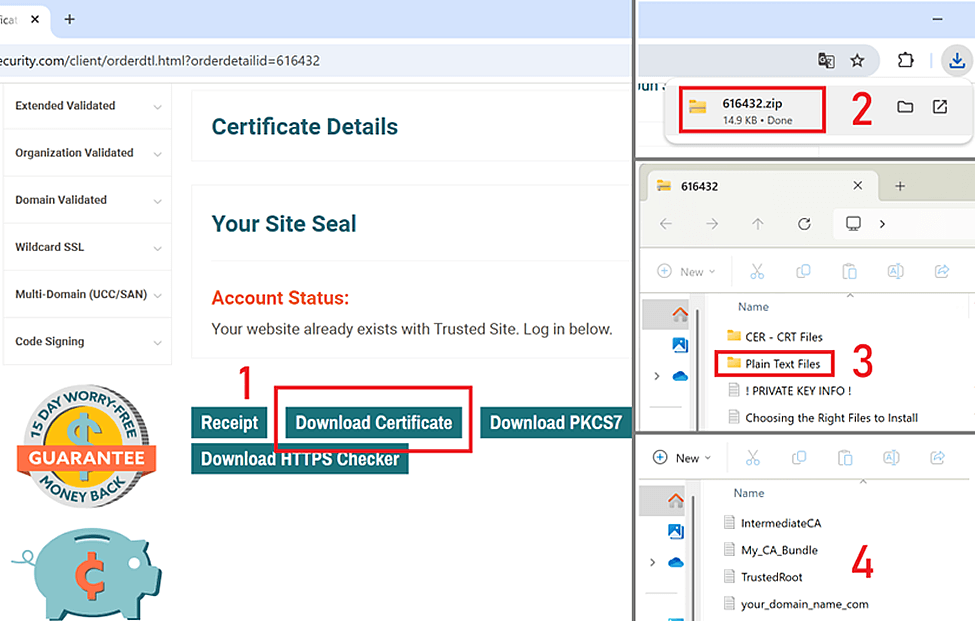
Creating a PEM file is necessary to install TLS/SSL certificates correctly in some environments.
A PEM file is a text file containing one or more certificates and, optionally, a private key. (While a CRT file only contains a single certificate.) Below are different ways to create a PEM file, depending on your installation needs.
1. Create a PEM file with the complete TLS/SSL certificate trust chain
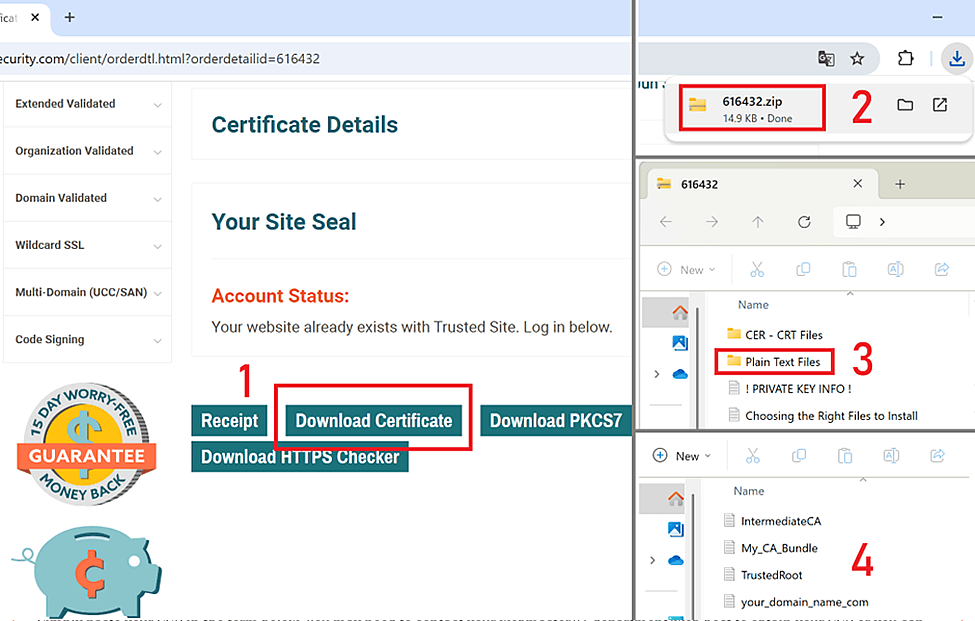
- Download the required certificates: get the primary certificates (e.g., your_domain_name.crt), intermediate certificates (intermediate-cert.crt), and root certificates (root-cert.crt).
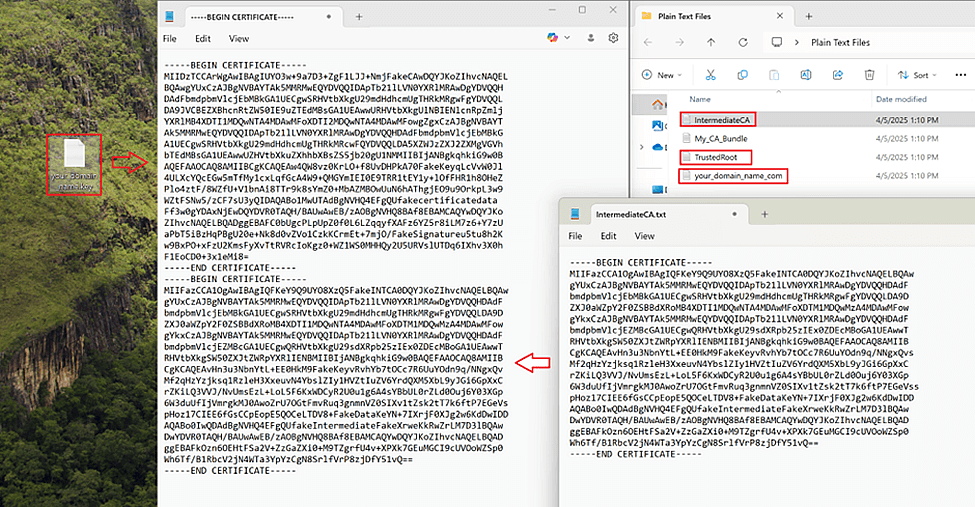
- Combine the certificates into one file: Open a text editor and paste the contents of each certificate in the following order:
- Primary certificate – your_domain_name.crt
- Intermediate certificate – intermediate-cert.crt
- Root certificate – root-cert.crt

Make sure to include the —–BEGIN CERTIFICATE—– and —–END CERTIFICATE—– lines for each certificate.The file should look like this:
—–BEGIN CERTIFICATE—–
(contents of your primary certificate)
—–END CERTIFICATE—–
—-BEGIN CERTIFICATE—–
(contents of your intermediate certificate)
—–END CERTIFICATE—–
—-BEGIN CERTIFICATE—–
(contents of your root certificate)
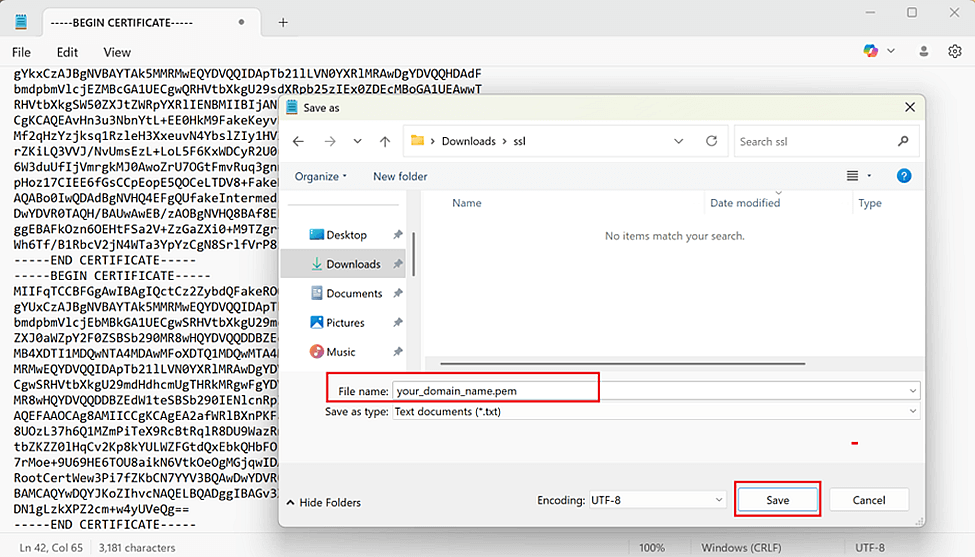
—–END CERTIFICATE—– - Save the file: Save the combined file with a .pem extension, for example, your_domain_name.pem.
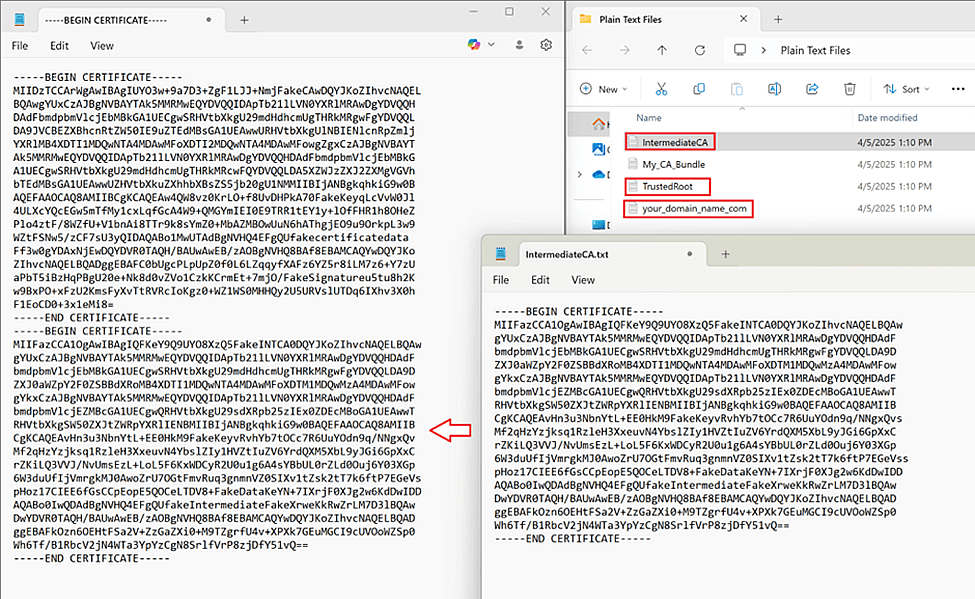
2. Creating a PEM file with primary and intermediate certificates.
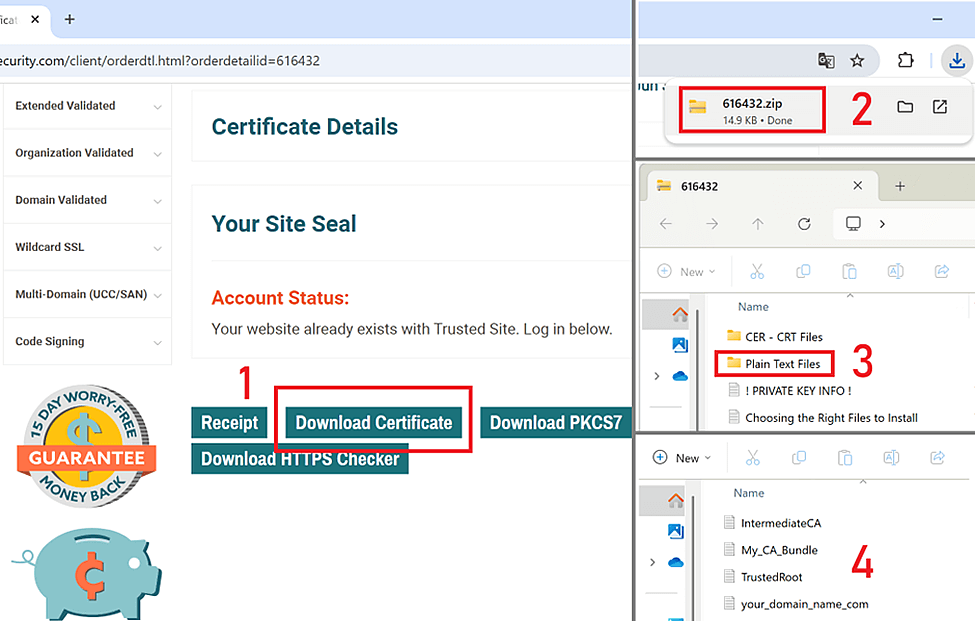
- Download the required certificates: get the primary certificate (your_domain_name.crt) and the intermediate certificate (intermediate-cert.crt).
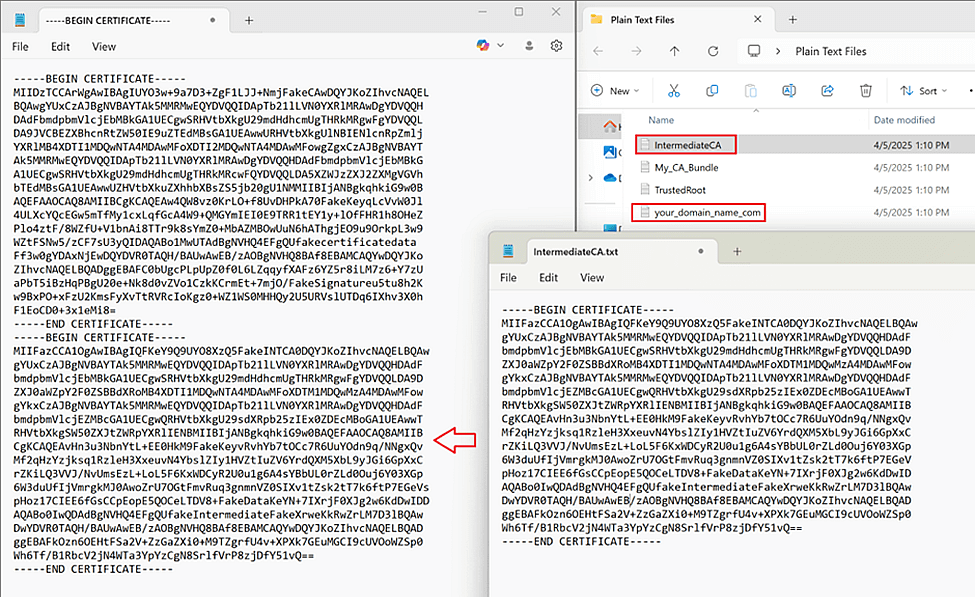
- Combine the certificates: In a text editor, paste the contents of the certificates in the following order:
- Primary certificate — your_domain_name.crt
- Intermediate certificate — intermediate-cert.crt
The file should look like this:—–BEGIN CERTIFICATE—–
(contents of your primary certificate)
—–END CERTIFICATE—–
—–BEGIN CERTIFICATE—–
(contents of your intermediate certificate)
—–END CERTIFICATE—– - Save the file: Save the combined file with a .pem extension, for example, your_domain_name.pem.
 The file should look like this: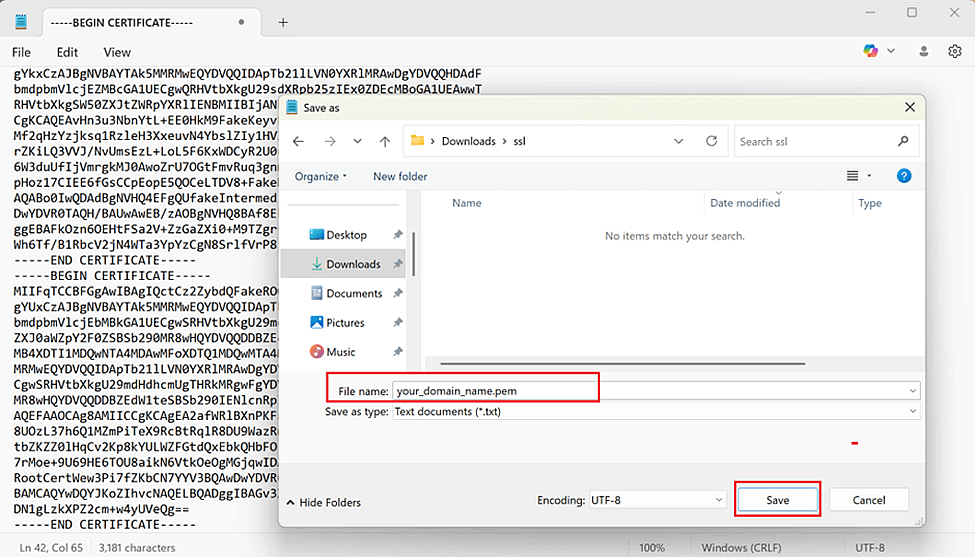
Generate a PEM file with a private key and complete chain of trust.
- Download the required files: Get the private key (your_domain_name.key), primary certificate (your_domain_name.crt), intermediate certificate (intermediate-cert.crt), and root certificate (root-cert.crt).
NOTE: The Private Key is generated on the Hosting Web Server, Hosting management software, or using the online Certificate Signing Request (CSR) Generator on your own together with CSR as a pair, and should be saved by you manually. No one can have access to your Private Key. Therefore, it is never sent via e-mail and is unavailable for download. The compromised Private Key leads to immediate certificate revocation. In case of Private Key loss, it is necessary to generate a new RSA key pair (CSR + Private Key) and reissue the certificate using new keys.
- Combine the files: In a text editor, paste the contents of each file in the following order:
- Private Key — your_domain_name.key
- Primary Certificate — your_domain_name.crt
- Intermediate Certificate — intermediate-cert.crt
- Root Certificate — root-cert.crt
The file should look like this:—–BEGIN RSA PRIVATE KEY—–
(contents of your private key)
—–END RSA PRIVATE KEY—–
—-BEGIN CERTIFICATE—–
(contents of your primary certificate)
—–END CERTIFICATE—–
—-BEGIN CERTIFICATE—–
(contents of your intermediate certificate)
—–END CERTIFICATE—–
—-BEGIN CERTIFICATE—–
(contents of your root certificate)
—–END CERTIFICATE—– - Save the file: Save the combined file with a .pem extension, for example, your_domain_name.pem.
By following these instructions, you can convert a CRT file to a PEM file that meets the requirements of your TLS/SSL certificate installation.