

 Loading...
Renewing an SSL certificate is almost the same as issuing a new one.
We recommend doing this 30 days before the current expiration date; this approach saves the remaining days and helps to avoid downtime on the site.
To renew your SSL certificate, take these steps:
1. Place a new order
Begin the process as if you were purchasing a certificate for the first time.
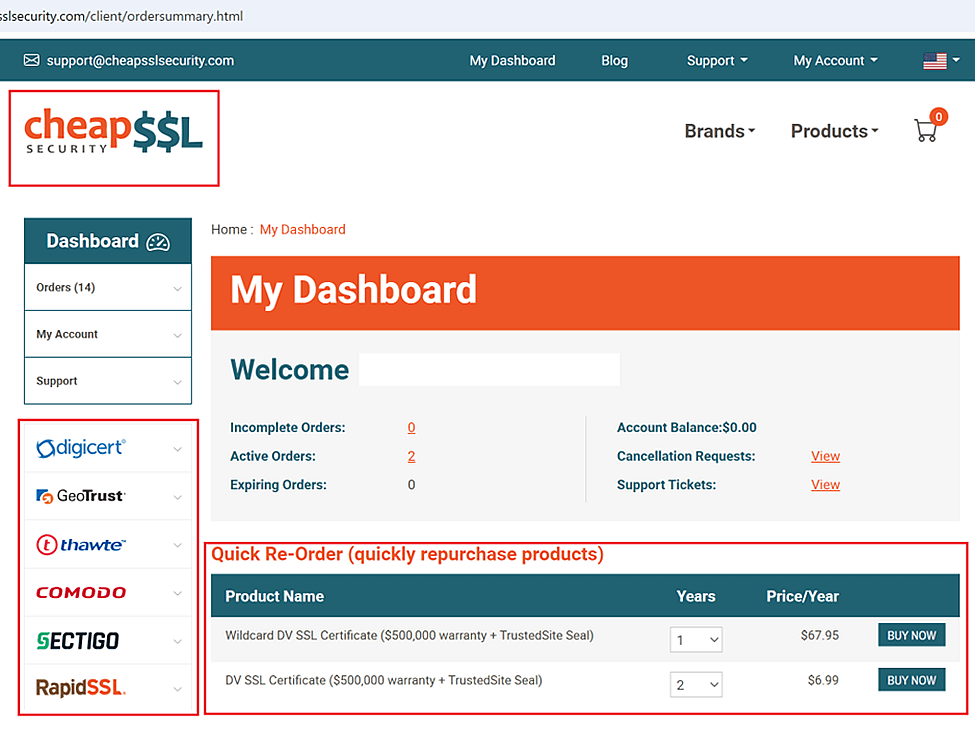
All the products are available on cheapsslsecurity.com, your account’s dashboard, and the “Quick Re-Order” panel.
2. Create a new CSR (Certificate Signing Request)
Generate the CSR where your website is hosted, or you can use our built-in CSR generator.
3. Generate a new certificate
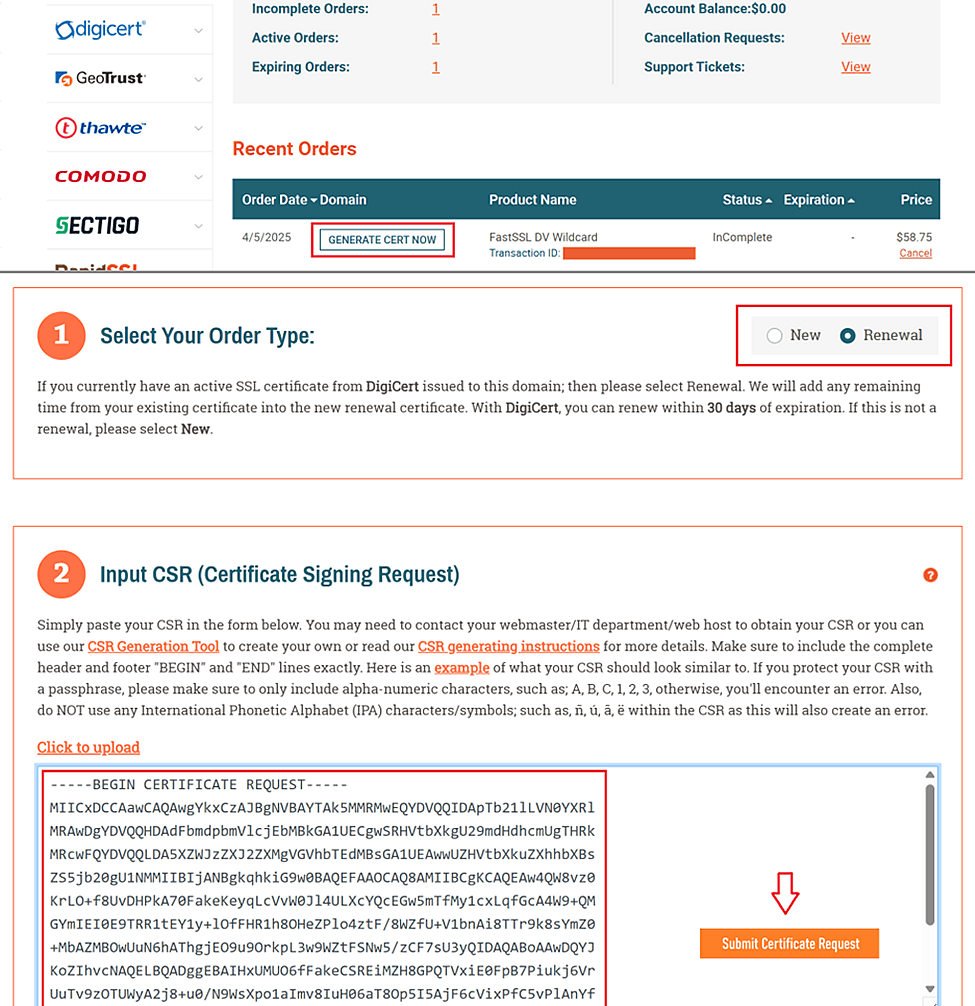
After purchase, your order status will appear as ‘Incomplete’ on your account page.
Click the “GENERATE CERT NOW” button and fill out the form. Be sure to select the “RENEWAL” option when you submit your CSR – this will link the new certificate to the previous one.
4. Pass Domain Validation
The Domain Validation type was chosen in the previous step, however, it can be adjusted on the Order Page at any momentif needed.
Follow the instructions here to pass the validation: https://knowledge.cheapsslsecurity.com/support/solutions/articles/22000202232-domain-validation
Some products may also require passing the Organization/Extended Validation.
- Follow the instructions here to pass the validation: https://knowledge.cheapsslsecurity.com/support/solutions/articles/22000202232-domain-validation
- Instructions for Organization Validation: https://knowledge.cheapsslsecurity.com/support/solutions/articles/22000203601-organization-validation
- Instructions for Extended Validation: https://knowledge.cheapsslsecurity.com/support/solutions/articles/22000203604-extended-validation
5. Install the updated files on the server
After renewing your SSL certificate, you’ll need to install the new certificate on your website. The installation process may differ depending on the type of certificate and server, so it is best to check the details for your platform in advance.
You can check out our Installation Guides here: https://cheapsslsecurity.com/blog/ssl-certificate-installation-guides/
That’s it—you’ve renewed your SSL certificate!
Tip: If you renew your SSL certificate within 30 days before expiration, the remaining time will be automatically added to the new SSL. This is the maximum carryover allowed.